

Frequently Asked Questions (FAQ)
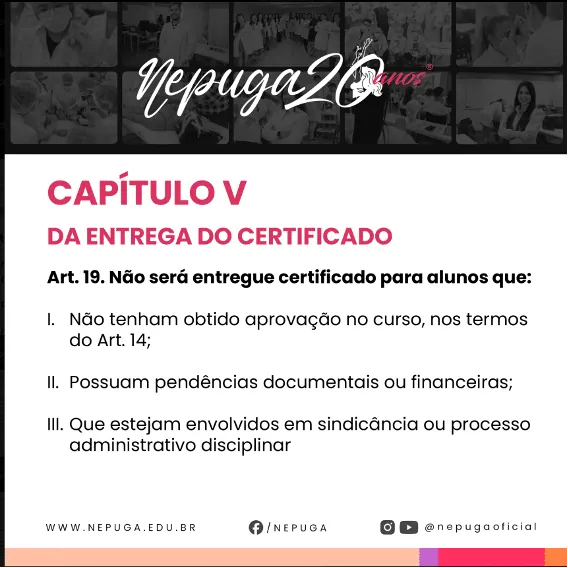
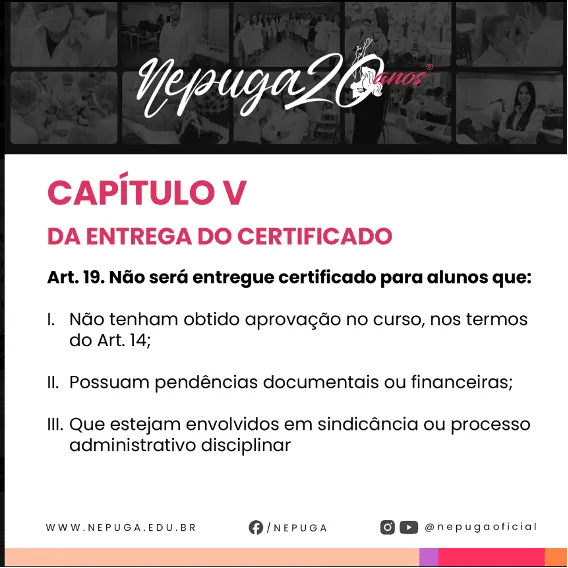
Completion Certificates
How do I request a digital certificate?
If you have completed your postgraduate program and everything is in order, follow these steps:
- Log in to your study portal (Portal de Estudos) with your username and password
- Click Secretaria (Registrar's Office)
- Then go to the Protocolo (Requests) menu
- Click Solicitar Protocolo (Submit a Request)
- Choose: Primeira via - Certificado de Conclusão de Curso Digital (First copy - Digital Course Completion Certificate)
- In the Matrícula (Enrollment) tab, select the postgraduate program you are currently active in
- In the Protocolo tab, select again: 1a via - Certificado de Conclusão de Curso Digital
- In the Observação (Notes) field, write a simple message requesting the certificate
- Finish by clicking Salvar Solicitação (Save Request)
- The student has passed all courses
- All documentation has been submitted, reviewed and approved
How do I request a printed certificate?
Follow these steps to request your printed certificate:
- Log in to your study portal (Portal de Estudos) with your username and password
- Click Secretaria (Registrar's Office)
- Then go to the Protocolo (Requests) menu
- Click Solicitar Protocolo (Submit a Request)
- In the Matrícula (Enrollment) tab, select the postgraduate program you are currently active in
- In the Protocolo tab, select: 1a via Certificado de Conclusão de Curso - Impresso com Postagem (First copy of the Course Completion Certificate - Printed, with mailing)
- In the Observação (Notes) field, write a simple message requesting the certificate
- Finish by clicking Salvar Solicitação (Save Request)
- Choose your preferred payment method and complete the order
What is the turnaround for the digital certificate?
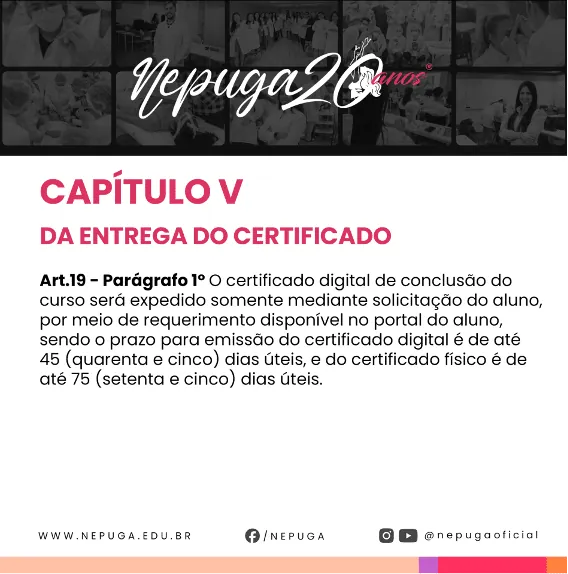
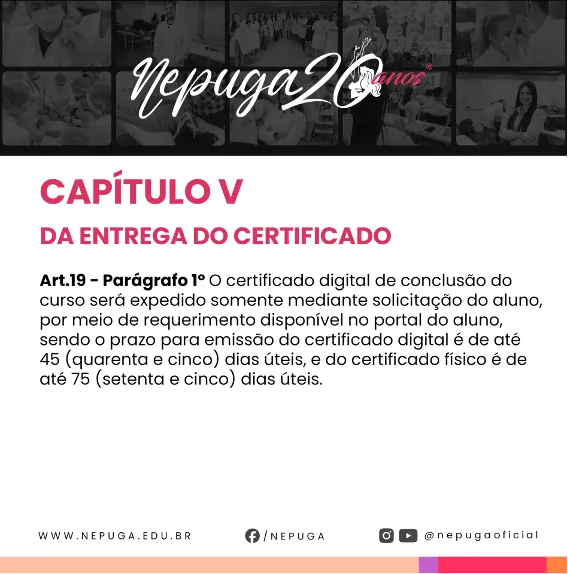
The digital certificate is issued within up to 45 business days.
What is the turnaround for the printed certificate?
The printed certificate with mailing is issued within up to 75 business days.
Statements and Letters
How do I request a completion letter?
If you have completed your postgraduate program and everything is in order, follow these steps:
- Go to the Portal de Estudos (study portal)
- Click Secretaria (Registrar's Office)
- Click Protocolo (Requests)
- Click Solicitar Protocolo (Submit a Request)
- In the Matrícula (Enrollment) tab, select the postgraduate program you are currently active in
- In the Protocolo tab, select Declaração de Conclusão de Curso (Course Completion Letter)
- In the Observação (Notes) field, write a brief message requesting the letter
- Click Salvar Solicitação (Save Request)
- The student has passed all courses
- All documentation has been submitted, reviewed and approved
How do I request an enrollment letter?
To request the enrollment letter:
- Go to the Portal de Estudos (study portal)
- Click Secretaria (Registrar's Office)
- Click Protocolos (Requests)
- Click Solicitar Protocolo (Submit a Request)
- In the Matrícula (Enrollment) tab, select the postgraduate program you are currently active in
- In the Protocolo tab, select Declaração de Matrícula - Imediato - Gratuito (Enrollment Letter - Immediate - Free)
- In the Observação (Notes) field, write a brief message
- Click Salvar Solicitação (Save Request)
Clinical Immersion
How do I schedule a clinical immersion?
NOTE: Wait until the immersion is opened for scheduling according to the academic calendar.
- Go to the Portal de Estudos (study portal)
- Click Agenda (Schedule)
- Select Agendamento de Vivências Clínicas (Clinical Immersion Scheduling)
- Click Agendar Vivência Clínica (Schedule Clinical Immersion)
- Choose the immersion you want to schedule and click Agendar (Schedule)
- Choose the city (Campuses or Teaching Clinics) where you will do the immersion
- On the calendar, choose an available date (highlighted in green)
- Check your details and click Agendar (Schedule)
- Confirm by clicking OK
What is the cancellation deadline for an immersion at a Teaching Clinic?
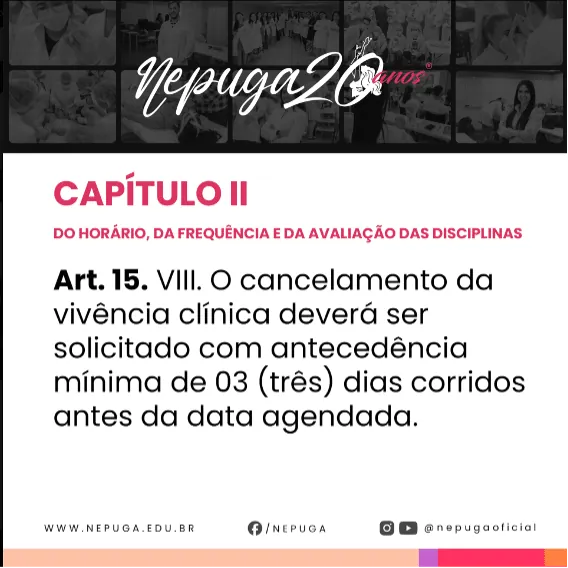
The deadline is 3 days before the scheduled date.
What is the cancellation deadline for an immersion at a Support Campus?
The deadline is 7 business days before the scheduled date.
How do I submit a request to excuse an absence from a clinical immersion?
To submit an excused-absence request:
- Go to the Portal de Estudos (study portal)
- Click Secretaria (Registrar's Office)
- Click Protocolo (Requests)
- Click Solicitar Protocolo (Submit a Request)
- In the Matrícula (Enrollment) tab, select the postgraduate program you are currently active in
- In the Protocolo tab, select Justificativa de Falta em Aula Presencial (Excused Absence from In-Person Class)
- Select the course corresponding to the immersion you could not attend
- In the Observação (Notes) field, briefly explain the reason
- Click Escolher arquivo (Choose file) and select the supporting document (medical certificates, official statements, receipts, etc.)
- Click Salvar Solicitação (Save Request)
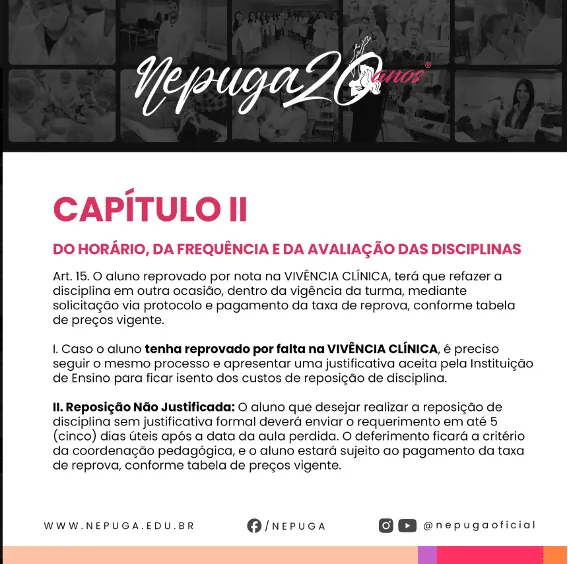
How do I submit a request for failing a clinical immersion due to an unexcused absence?
To submit a request for an unexcused absence:
- Go to the Portal de Estudos (study portal)
- Click Secretaria (Registrar's Office)
- Click Protocolos (Requests)
- Click Solicitar Protocolo (Submit a Request)
- In the Matrícula (Enrollment) tab, select the postgraduate program you are currently active in
- In the Protocolo tab, select Falta Injustificável Vivência Clínica (Unexcused Absence from Clinical Immersion)
- Choose the payment method (in full or in installments)
- In the Observação (Notes) field, write your request
- Click Salvar Solicitação (Save Request)
- Make the payment by bank slip (boleto), PIX (Brazil's instant payment system) or the link provided, depending on the method you chose
120 Complementary Hours
How do I submit the 120 complementary hours?
- Go to the Portal de Estudos (study portal)
- Click Secretaria (Registrar's Office)
- Click Protocolo (Requests)
- Click Solicitar Protocolo (Submit a Request)
- In the Matrícula (Enrollment) tab, select the postgraduate program you are currently active in
- In the Protocolo tab, select Entrega de Documentos para 120 horas Complementares (Submission of Documents for the 120 Complementary Hours)
- In the Observação (Notes) field, write something like: "I am sending the document for validation of the 120 complementary hours."
- Click Escolher arquivo (Choose file) and upload the document
- Click Salvar Solicitação (Save Request)
Academics
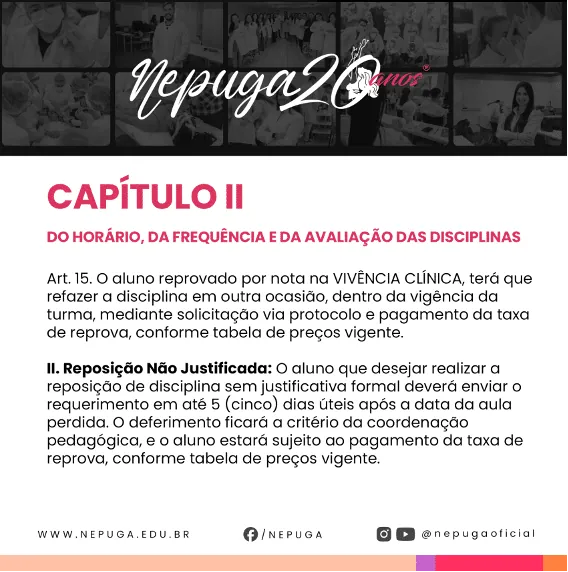
How do I check my grades?
It's very simple! Follow these steps:
- Go to the Student Portal (Portal do Aluno)
- Click Acadêmico (Academics)
- Then Notas (Grades) or Disciplinas Cursadas (Completed Courses)
That's it! You can see all your grades there.
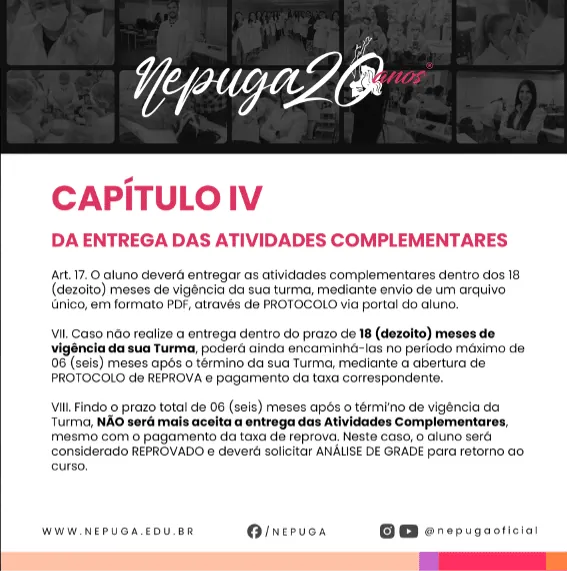
How do I get my digital student ID?
- Download the EDU+ app
- Enter the code: 100602
It is available right inside the app!
How do I request enrollment from the Advanced Training Course into the Postgraduate Program?
You can make your request easily!
Just fill out the form at the link below:
nepuga.edu.br/aperfeicoamento-pos-graduacao
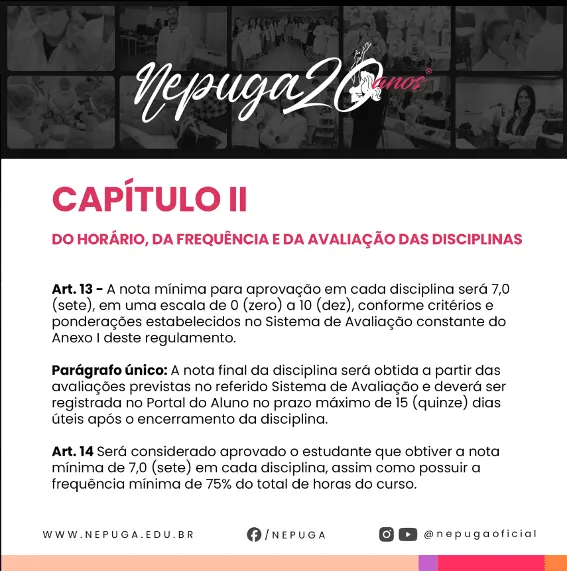
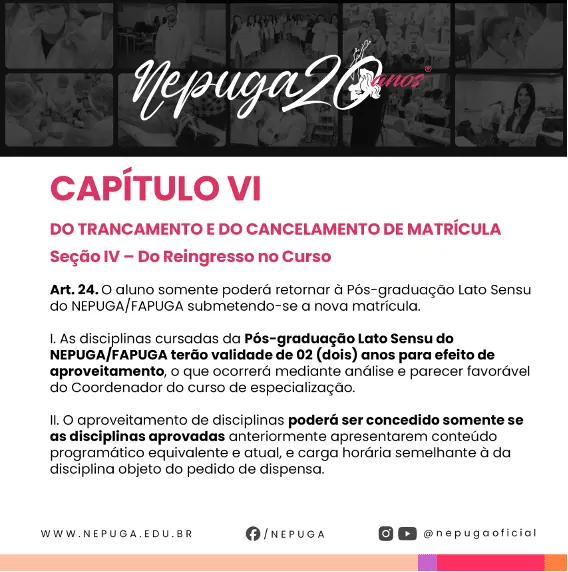
How do I request to return to the course?
If you want to return to the course, just fill out the form below:
After you submit, your curriculum will be reviewed:
- We check which courses have already been completed and can be credited
- And also which ones you still need to take to complete the program
Need more help?
How do I talk to a support agent?
If you did not find the answer to your question, contact us:
- WhatsApp:Open our chat
- Email: Send your question through the student portal
- Request:Open a request with the registrar's office in the study portal
Our team is ready to help you!